Sale
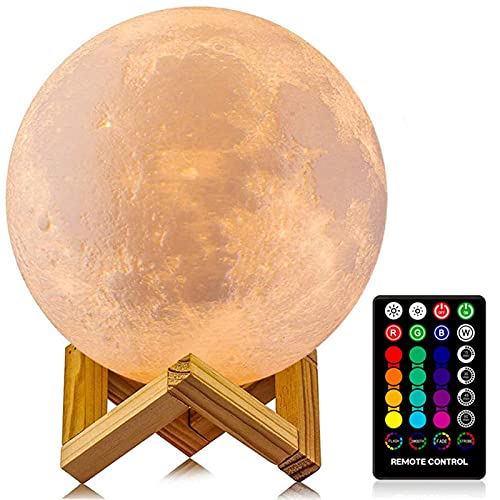
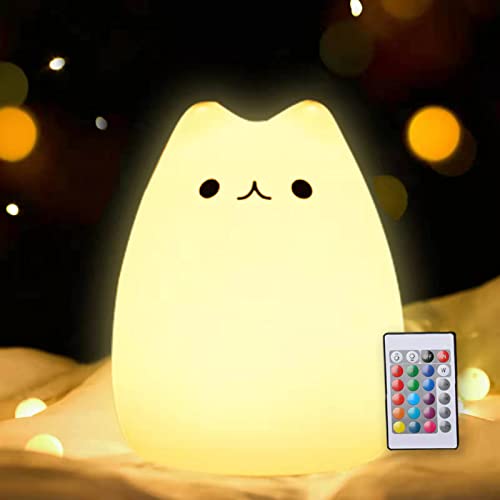
LOGROTATE Moon Lamp, 16 Colors LED Night Light for Kids 3D Printing Moon Light with Stand& Remote/Touch Control & Timing, Moon Light Lamp for Kid Friend Birthday Gifts, Room Decor (Diameter 4.8 INCH)
- A Unique Night Light for Kids – Moon lamp with the diameter is 4.8 INCH, made with 3D printing technology, realistic full moon shape, the surface of the moon lamp is very close to the lunar moon, novelty and charming; Create a peaceful environment in your kids’ rooms and help them enter a blissful slumber with the bright moon light.
- Moon Night Light with 16 RGB Colors – The 16 colors can flash or fade or strobe, dreamlike and creative decorative lights, perfect for your nursery room or children bedroom; can adjust brightness to turn this moon lamp into a soft kids’ night light, provide children with a comfortable sleeping environment.
- Moon Light with Remote & Touch Control Model – Use the remote control to change the color or also the brightness of the color, very convenient for you to choose your perfect color. You can use the timer on the remote control to fix the moon light light for 15/30/45/60 mins. This moon glowing lights (dimming & flash) perfect for romantic dinner or an anniversary.
- Moon Lamp with the Build-in Rechargeable Battery – No line hanging around, you can hold the moon light on your hand; Designed with USB charging port, and you can charge this moon globe on any USB devices, like computer/power bank or USB adapter etc.
- A comfortable night light, perfect decoration for bedroom, courtyard, dinner table, parties, cafe and outdoor decoration; A romantic and mysterious gift for friends, kids and family on birthday, wedding, anniversary, Easter, Thanksgiving Day and Christmas.
Last update on 2026-06-04 at 16:33 / Details
This 3D printed moon lamp is a fun and cozy night light for kids’ bedrooms, playrooms, or as a birthday gift. The 16 LED color options, remote and touch control, and timer function make it easy to customize the glow, adding a soft, decorative touch to any room.
How to use the code
How to use code
- Tap “Copy Code”
Your code will automatically copy and open Amazon/Walmart.
- Check for extra coupons
If you see an on-page coupon, be sure to clip it for even more savings.
- Choose “Buy Now” or “Add to Cart”
Both methods work.
Buy Now Method
Tap “Pay With,” scroll down, turn on “Add a gift card, promo code, or voucher,” paste your code, then press the arrow button to apply it.
Add to Cart Method
Open your cart, tap “Proceed to Checkout,” under Payment select “Use a Gift Card, Voucher, or Promo Code,” turn on “Add a Gift Card, Promo Code, or Voucher,” paste your code, then press the arrow button to apply it.